| Previous Page |
PCLinuxOS Magazine |
PCLinuxOS |
Article List |
Disclaimer |
Next Page |
Using AI Locally On PCLinuxOS: Upscayl |
|
by Alessandro Ebersol (Agent Smith)
 Folks, artificial intelligence is the hottest thing right now—the trend everyone is trying to ride. But, as always, the big tech companies are monopolizing AI to such an extent that even buying a new computer is now becoming a difficult task, thanks to the AI “gold rush.” Well, IMHO, this AI "gold rush" is going to end in a massive bubble that will burst sooner or later—just like the dot-com bubble in 2000—but it might be even worse, since a large number of companies have committed to producing hardware, servers, and data centers that don’t even exist yet, all for an AI demand that may never materialize. Microsoft is already feeling the negative effects of having bet everything on AI, and now the whole thing is backfiring. But let’s talk about how we can start using AI locally on PCLinuxOS, with a program called Upscayl.
Upscayl is an AI-powered image upscaling tool designed to improve the resolution and quality of images. It transforms low-resolution photos into sharper, more detailed images, making it ideal for photographers, graphic designers, and anyone who needs high-quality images.
AI Enhancement
Intuitive interface
Compatibility and Accessibility
First, install the application using `dnf install upscayl` or through the DNF Package Manager (a great tool, created right here on PCLinuxOS, which is improving by leaps and bounds), and the first screen you’ll see is as follows: 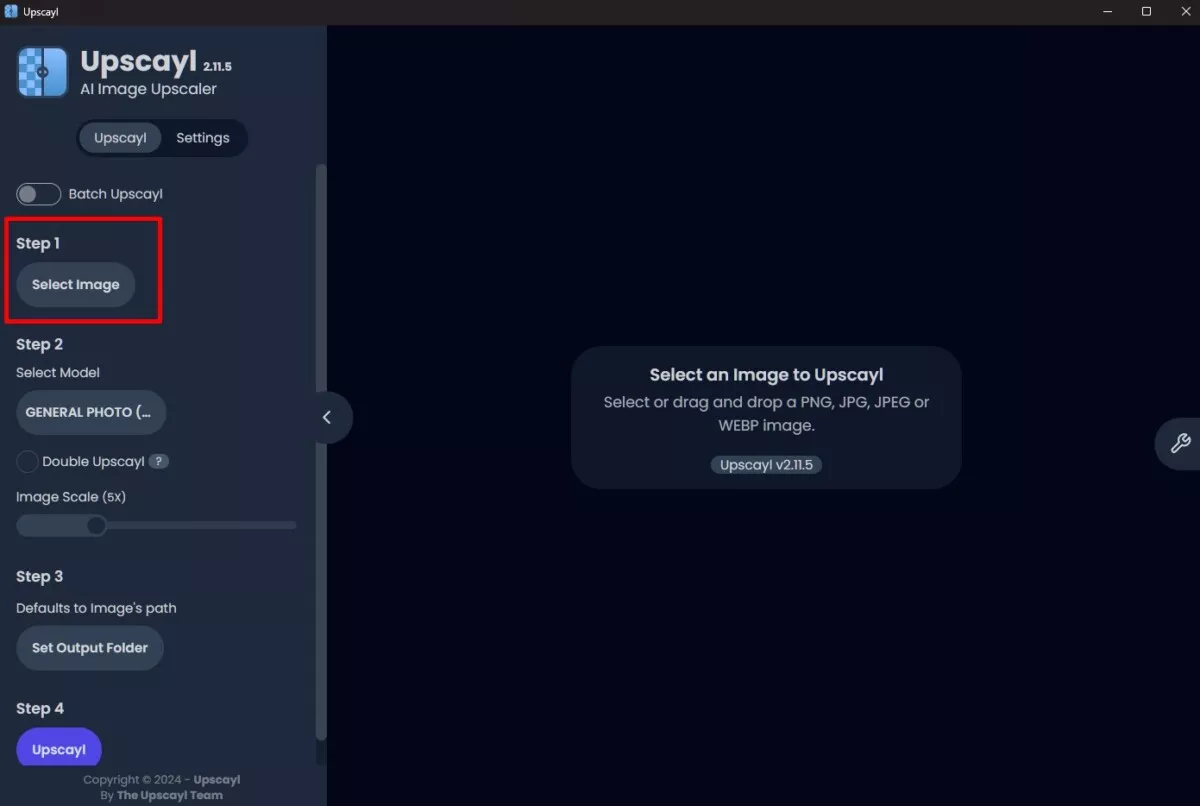 The command interface is accessed entirely through the side panel, where you’ll have the option to perform a single upscaling or batch upscaling by toggling the BATCH switch. The first step is simply to select the original image whose resolution you want to increase and load it into the program. 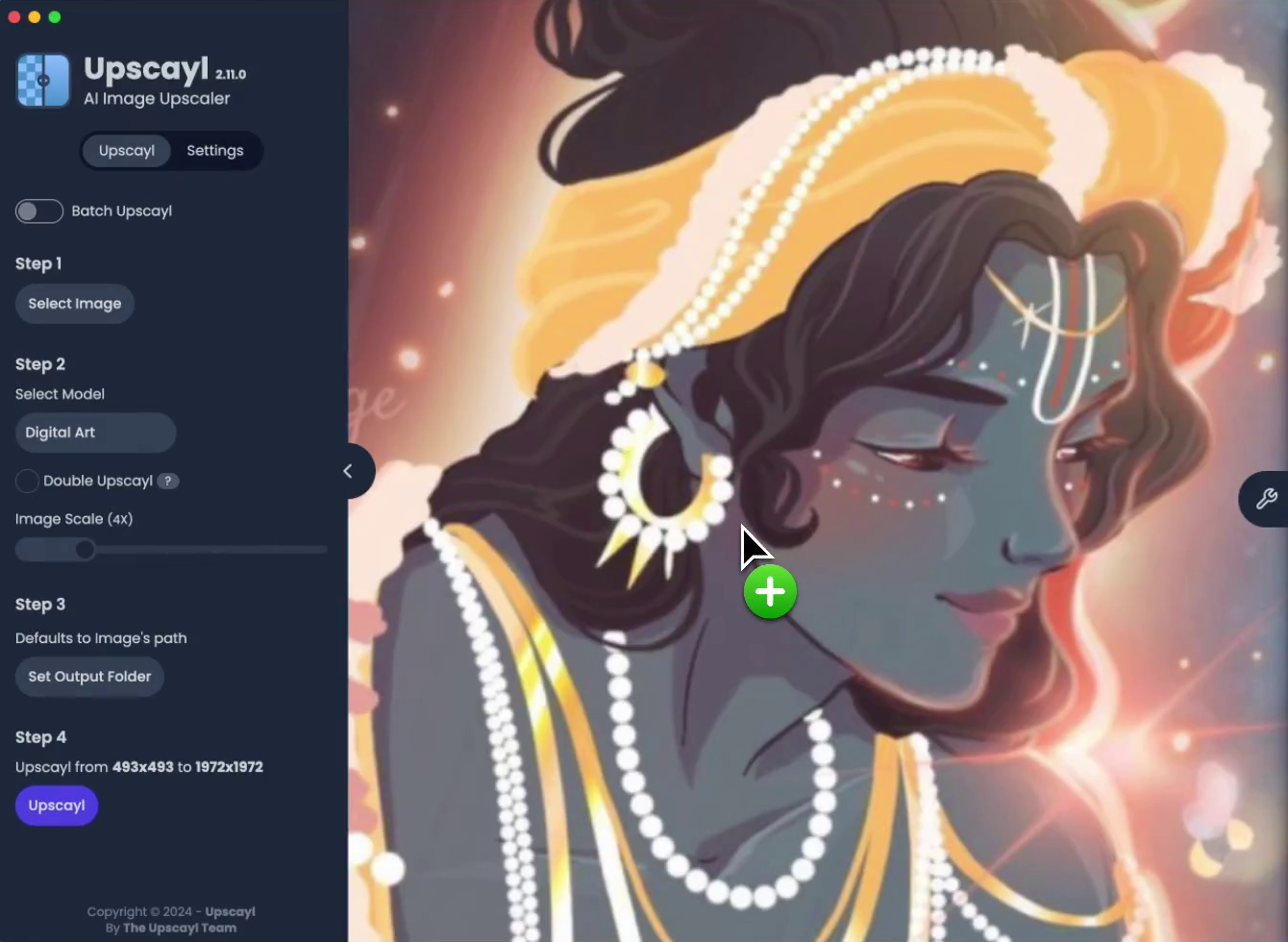 Next, you can choose the upscaling model you want to apply to your image. Each model can produce different results, but it’s not always possible to clearly see the differences—it depends on the type of image. 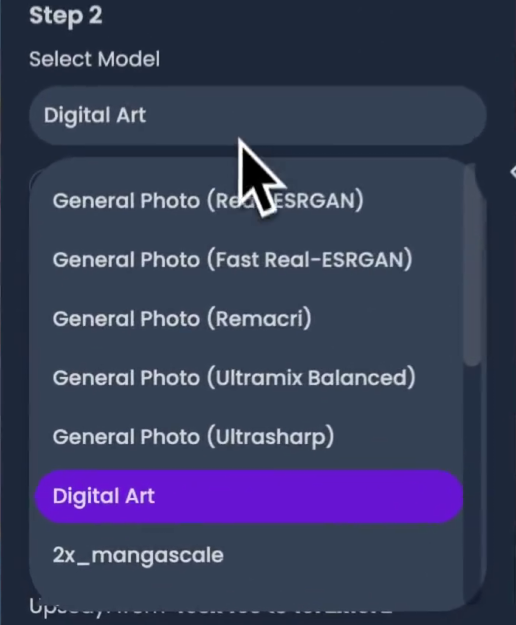 One of the "magic tricks" that makes Upscayl work is ESRGAN, an acronym for Enhanced Super-Resolution Generative Adversarial Networks, which is a workflow for the task of image super-resolution based on a frequently cited paper, “ESRGAN: Enhanced Super-Resolution Generative Adversarial Networks” (Wang, Xintao et al.), published in 2018. In a nutshell, image super-resolution (SR) techniques reconstruct a high-resolution (HR) image or sequence from observed low-resolution (LR) images—for example, increasing the resolution of an image from 720p to 1080p. Upscayl includes seven built-in AI models, all of which are variants of Real-ESRGAN optimized for different use cases. These models are defined in the central model registry and offer 4x upscaling capability. The available models are managed centrally through a TypeScript registry that maps the model identifiers to their configurations: 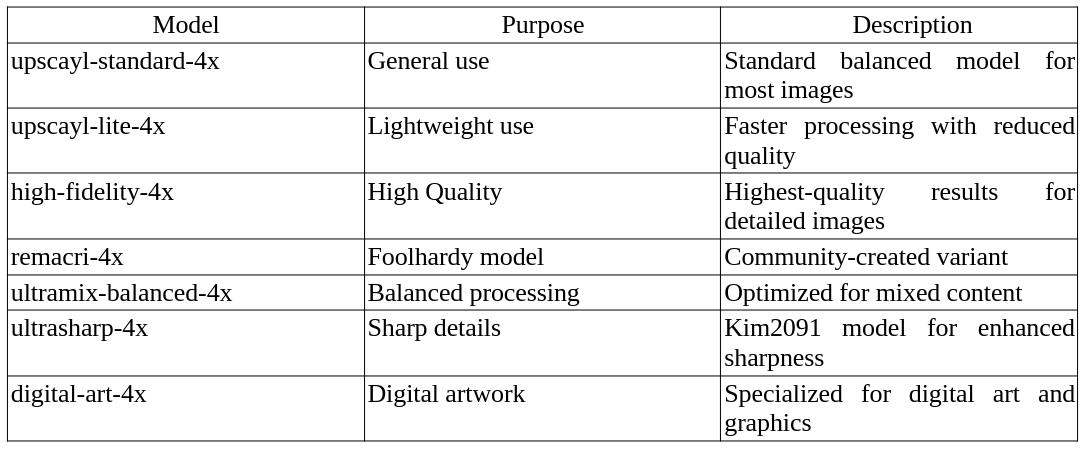 Upscayl v2.5 includes a “Custom AI Models” option, which allows users to select a model’s folder and use their own imported models. (Further details here). When everything is ready, just click the “Upscayl” button to start the process. It doesn’t take long, and when it’s finished, the software will automatically save the new image file and display a side-by-side comparison. An important note here is that the program requires graphics cards compatible with the Vulkan 1.3 API; otherwise, it won’t work. Nvidia graphics cards support the Vulkan API starting with the GT 710 model. A list of compatible graphics cards can be viewed here.
Upscayl is a powerful tool for anyone who wants to improve image quality without needing extensive technical knowledge. Its combination of advanced AI technology and intuitive design makes it the best option for image enhancement, and it can serve as an introduction to the local use of AI, which is very important for everyone who uses computers. |