
| Previous Page |
PCLinuxOS Magazine |
PCLinuxOS |
Article List |
Disclaimer |
Next Page |
From The Chief Editor's Desk... |
|
It’s that time of year when summer vacations are over and the kids are headed back to school. Around my parts, school started in late August. In other areas, school started back up in mid-August. In yet other areas, school doesn’t start back up until September. 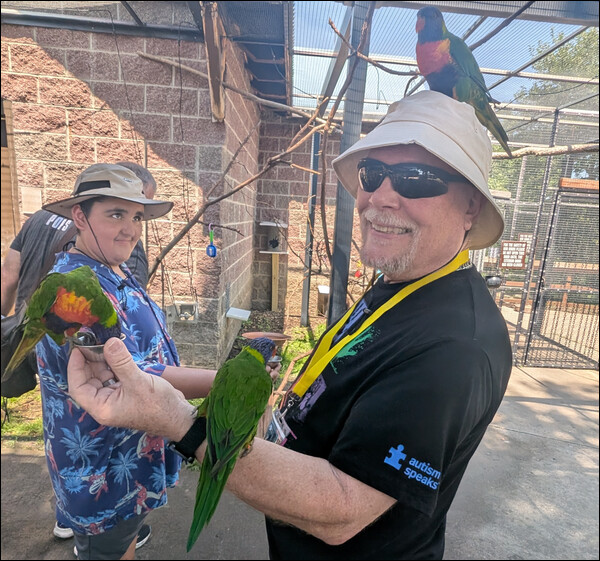 Feeding the lorikeets at the Kansas City Zoo. I know that at school, my kids use Chromebooks (woohoo! Linux based!) on a regular basis. That’s what our school district uses to ensure kids have access to the digital resources they require. At home, they both also have laptops running Windows. Yes, they run Windows, because their games run better (and much more easily, without jumping through hoops and hacks) on Windows than they do on anything else. But, looking at the resources they use for school, there’s no reason they couldn’t use a Linux laptop to do their school assignments at home. Linux is most capable in these cases. My kids access a considerable amount of their assignments from Google Docs. Everything they need is offered by PCLinuxOS to utilize Google Docs. All you need to access Google Docs is a web browser, and PCLinuxOS has a LOT of those to choose from. Dad uses Firefox … a LOT. But the PCLinuxOS repository also has Google Chrome, Chromium, Microsoft Edge, Opera, Midori, and many others available. When it comes to office suites, PCLinuxOS has that covered as well. Of course, you can ALWAYS use Google Docs as your office suite. It is quite capable of producing MS Office “x” files (*.docx, *.xlsx, *.pptx, etc.), and output PDF files. But, if you’re looking for a solution that you can run on your desktop, LibreOffice is hard to beat. It can read MS Office “x” files, and it can output files in the MS Office “x” files formats. It can also produce output in PDF format, which is pretty much a universal document format these days. Do they need to research topics at home? Any web browser will do, and they can access pretty much the same content they access at school, over the same internet (excluding proprietary content or content that is only accessible through the school’s “gateway” or via a special login available only to computers on the school’s network). PCLinuxOS, like most Linux distros out there, provides the tools necessary for dealing with graphics, whether they are vector or bitmapped graphic files. Need a calculator program? There are several of them in the PCLinuxOS repository. And that’s not even counting the thousands of them that are available online. In fact, there is no reason why PCLinuxOS (or any other Linux distro) can’t meet all of your needs for school. The usual/typical “obstacle” is dealing with uneducated or ill-informed IT people. And for that, there is no “easy” solution.
********************
This month’s cover celebrates the annual “return to school” (at least around these parts). The background chalkboard image is from OpenClipart-Vectors on Pixabay. I then used Bing Image Creator to change our typical image of Tux into a chalk drawing, which I then inserted into the right side of the image.
********************
Until next month, I bid you peace, happiness, serenity, prosperity, and continued good health! |